CS 1.6 vs CS Browser: Classic Legend Meets the Modern Web Era
A comprehensive breakdown comparing classic Counter-Strike 1.6 with CS Browser: engine architecture, counter-strafing gunplay, cross-platform compatibility, and zero-install party lobbies.
 CSBrowser Team
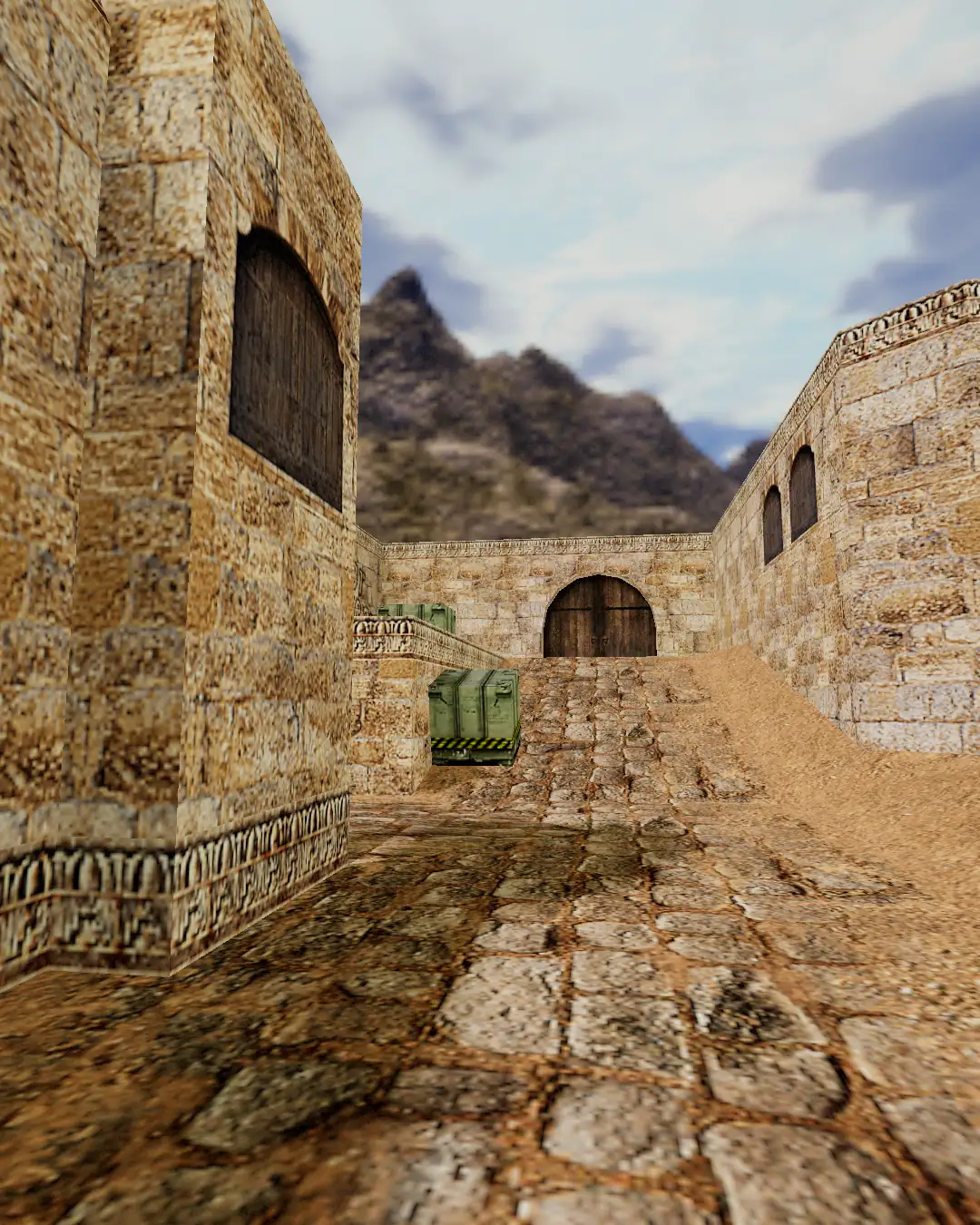
Over two decades ago, in LAN cafes filled with mechanical keyboard clicks and CRT monitors, "Fire in the hole!" echoed across Dust 2 mid doors to define an entire generation of tactical gaming. As the crown jewel of competitive tactical shooters, Counter-Strike 1.6 set the benchmark for gunplay mechanics, counter-strafing, recoil control, and teamwork.
Fast-forward to today: modern gamers live in a multi-device, high-resolution, instant-access world. When nostalgia strikes and you want to jump into a round with friends, you are often hit with roadblocks: finding reliable installers, configuring compatibility modes on Windows 11, fixing stretched 4:3 resolutions, or realizing modern macOS dropped 32-bit application support entirely.
Enter CS Browser: an instant-play tactical FPS engineered to run directly in modern web browsers. Is it just a quick nostalgic gimmick, or does it genuinely preserve the authentic soul of classic Counter-Strike? Let's break down the technical differences, gunplay fidelity, and practical user experience.
1. Engine Architecture & Runtime Comparison
| Dimension | Classic CS 1.6 Client | CS Browser (Web Edition) | | :---------------- | :---------------------------------------------------------- | :----------------------------------------------------------------- | | Engine | Valve GoldSrc (heavily modified Quake engine) | Modern WebGL hardware graphics with lightweight web runtime | | Installation | Full client download (~500MB – 4GB), manual patching | Zero download, runs natively in any standard web browser | | Hardware / OS | Windows & SteamOS + Linux (modern 64-bit macOS unsupported) | Hardware-accelerated Web standard across all operating systems | | Startup Time | Launcher -> load client -> search servers (several minutes) | Open browser tab -> streamed asset loading with clear progress bar |
Classic CS 1.6 is anchored to the GoldSrc engine. In the early 2000s, GoldSrc was legendary for tight player physics and client-side prediction. However, on contemporary operating systems, GoldSrc faces compatibility bottlenecks: DPI scaling bugs, high-refresh display stutter, and driver conflicts.
CS Browser rebuilds the experience with the modern web platform. Leveraging a lightweight client runtime alongside WebGL for GPU hardware acceleration, CS Browser achieves smooth, responsive tactical gameplay directly inside Chrome, Safari, Firefox, or Edge without requiring any local downloads or third-party wrappers.
2. Gunplay, Counter-Strafing & Mechanical Fidelity
For dedicated CS veterans, tactile feedback and movement physics define the experience.
Counter-Strafing & First Bullet Accuracy
The hallmark of competitive Counter-Strike is momentum cancellation: bullets spread wildly while in motion, demanding that players tap the opposite directional key before tapping the trigger.
- CS 1.6: Crisp stopping distance and instantaneous spread reset once velocity drops below the movement threshold.
- CS Browser: Faithfully implements linear velocity decay curves, allowing experienced players to immediately utilize their muscle memory for precision counter-strafe peek battles.
Recoil Patterns & Spray Control
The signature inverted-T recoil of the AK-47 and the tight bursts of the M4A1 are fundamental:
- CS 1.6: Recoil combines vertical pitch kick with horizontal yaw oscillation, requiring pull-down compensation.
- CS Browser: Implements realistic continuous recoil equations, giving rifles that punchy, satisfying rhythm where well-timed bursts reward headshot placement.
Wallbanging & Penetrable Materials
Iconic tactics like spamming Dust 2 wooden doors or corner crates depend on surface penetration. CS Browser accounts for obstacle thickness and surface materials, preserving classic pre-fire and wallbang positions.
3. Platform Compatibility: The Modern Workflow
In day-to-day scenarios, the difference in accessibility is night and day.
The Pain Points of Running CS 1.6 Today:
- Security & Installer Quality: Finding a clean 1.6 installer today often means sifting through unverified third-party websites bundled with adware or rogue server redirects.
- Modern Windows Quirks: On Windows 11 high-DPI panels, legacy resolutions like 800x600 frequently result in severe letterboxing, alt-tab crashes, or mouse scaling glitches.
- macOS Abandonment: While Steam maintains official Windows and SteamOS + Linux compatibility, Apple permanently discontinued 32-bit application support starting with macOS Catalina. Running original CS 1.6 on modern Apple Silicon Macs (M1/M2/M3/M4) requires cumbersome virtual machines or Wine layers.
The CS Browser Advantage:
- True Cross-Platform: Runs effortlessly on Windows laptops, MacBooks, Linux workstations, and even school or office Chromebooks without administrator privileges.
- Native Viewport Scaling: Flawlessly adapts to any monitor resolution, whether you game on a 1080p monitor or a 4K Retina display.
- Zero Local Disk Footprint: Consumes no persistent hard drive space; simply open the tab and play, close the tab when finished.
4. Multiplayer Lobbies & Casual Matchmaking
| Feature | Classic CS 1.6 | CS Browser | | :-------------------------- | :------------------------------------------------------------- | :------------------------------------------------------------ | | Friend Invite Flow | IP addresses, console commands, or third-party client matching | One-click room URL shareable via chat, Discord, or Slack | | Under-Populated Lobbies | 2-player lobbies stall waiting for public randoms | Smart Bot fill automatically maintains balanced team rounds | | Firewall / NAT | Requires open ports or dedicated game server hosting | Cloud-routed real-time networking, seamless through firewalls |
For busy professionals and students, the biggest hurdle to playing with friends is coordinating downloads and installations.
With CS Browser, jump into action in seconds: generate a lobby link, paste it into a group chat, and everyone enters the same match instantly. If only a couple of friends are available, intelligent Bot players automatically fill remaining roster slots, keeping the firefights dynamic and competitive.
5. Decision Matrix: Which Version Should You Pick?
-
Stick with Classic CS 1.6 Client if:
- You possess a custom
userconfig.cfgrefined over a decade and prefer 4:3 stretched resolutions on dedicated gaming monitors. - You are participating in organized offline LAN tournaments.
- You want to play niche custom community mods like Deathrun, Warcraft 3 Mod, or Zombie Escape.
- You possess a custom
-
Choose CS Browser if:
- Quick Breaks & Casual Rounds: You have 15 minutes between work tasks or classes and want immediate FPS action.
- Mac & Non-Windows Gamers: You use a MacBook and want authentic tactical shooting without running emulation software.
- Spontaneous Co-op: You want to play with coworkers or friends without requiring anyone to install gigabytes of game files.
- Pure Competitive Nostalgia: You crave clean Dust 2 rounds, crisp AK tapping, and authentic tactical gunplay with zero friction.
The Verdict
While Counter-Strike 1.6 remains an immortal milestone in gaming history, CS Browser reimagines that timeless tactical formula for the modern web. By eliminating installation friction and hardware barriers, it brings the pure essence of tactical shooting to your browser tab.
Ready to test your crosshair placement? Open a new tab, invite your squad, and take mid.