CS Online vs CS Browser: From Zombie Mod Power Creep to Pure Tactical Shooting
A retrospective and modern comparison of Counter-Strike Online (CSO) against CS Browser: analyzing weapon balance, PvE fantasy weapons vs authentic tactical gunplay, and client bloat vs instant web play.
 CSBrowser Team
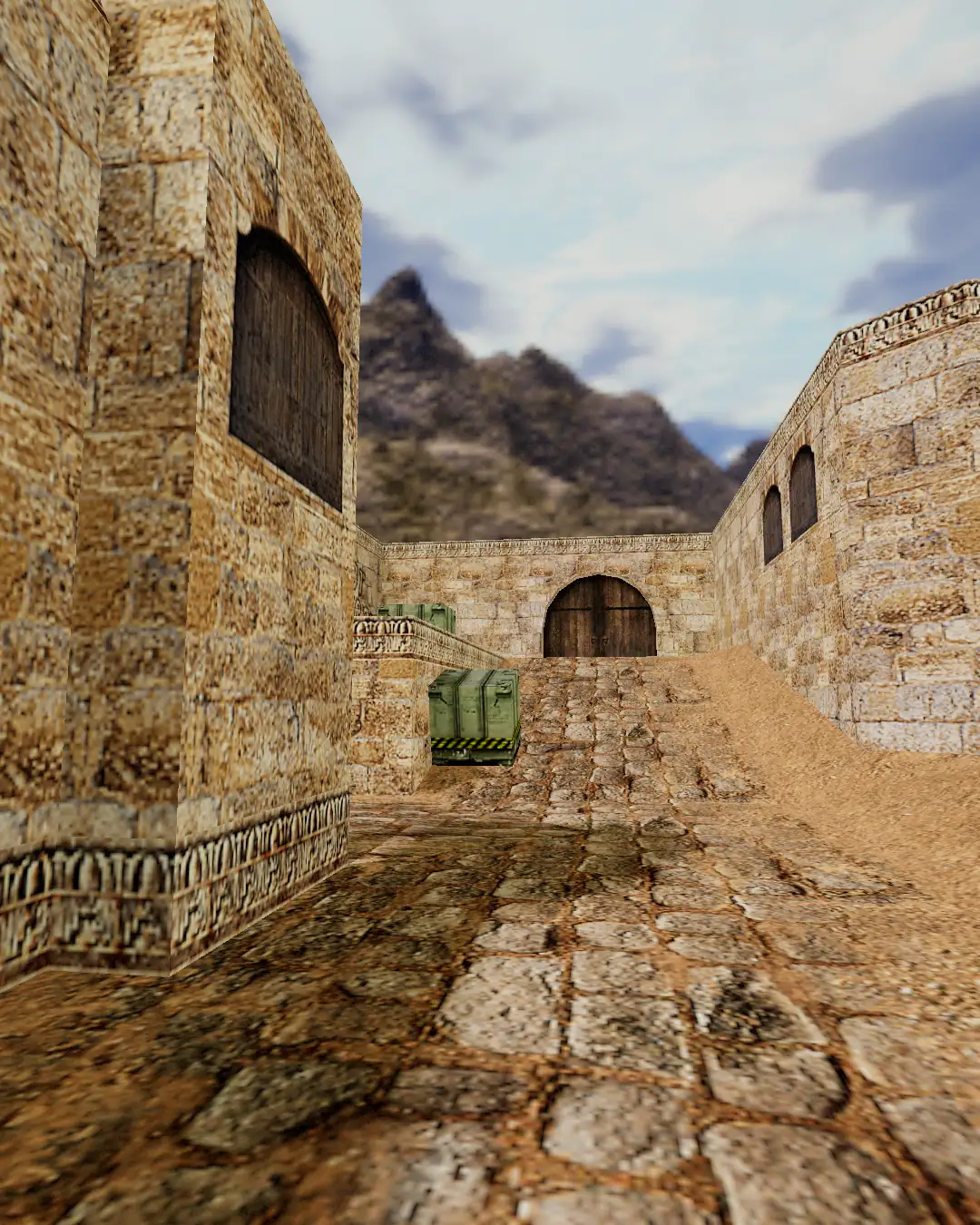
For millions of Asian and international gamers throughout the late 2000s and 2010s, Counter-Strike Online (CSO / CSOL) was the portal to online multiplayer Counter-Strike. From claustrophobic zombie bunker survival in Assault vents to high-octane co-op Zombie Scenario boss encounters, CSO left an indelible mark on shooting game history.
However, as years passed, extensive updates transformed the franchise. What began as a tactical FPS evolved into an arcade RPG filled with mythical super-weapons, energy blasters, and exponential stat escalation.
For veterans longing for the original tactical roots of Counter-Strike, CS Browser offers a breath of fresh air: a lightweight, zero-install tactical shooter accessible directly through standard web browsers. Here is how the two compare across game design, hardware accessibility, and community multiplayer.
1. Game Design: Super-Weapon Frenzy vs Tactical Purity
| Dimension | Counter-Strike Online (CSO) | CS Browser | | :----------------------- | :-------------------------------------------------------------------------- | :------------------------------------------------------------- | | Core Evolution | Zombie Survival, PvE Zombie Scenario, Fantasy Boss Battles | Pure tactical team deathmatch, map control, & crossfire angles | | Arsenal Balance | Hundreds of fantasy "Epic/Transcendent" tier weapons with special abilities | Clean, classic weapon roster (AK-47, M4A1, AWM, Desert Eagle) | | Competitive Baseline | Weapons introduce knockback boosts, laser fire, and passive perks | Zero weapon paywalls; 100% skill-based aim and positioning | | Round Tempo | Chaotic long-form survival or boss wave raiding (20–40 mins) | Snappy tactical rounds (1–2 minutes per round) |
The Legacy of CSO: Over-the-Top Entertainment
CSO's historical success lay in redefining casual entertainment. Modes like Zombie Hero and Zombie Scenario made Counter-Strike wildly accessible and hilarious with friends. Yet inevitably, the introduction of weapons like the Lightning Guitar, Dragon Cannon, and Holy Sword alienated purists who valued tight recoil control and authentic tactical crossfires.
The Philosophy of CS Browser: Back to the Roots
CS Browser strips away the noise. There are no screen-obscuring particle shaders or 200-round plasma magazines. Success comes down to crosshair placement, holding corners, communicative site rotations, and the heartbeat-inducing tension of a 1v2 clutch battle in Dust 2.
2. Technical Footprint & Client Maintenance
Revisiting classic client-based games today frequently presents technical hurdles.
Modern Issues with Legacy MMO Clients:
- Gigantic File Sizes: Years of cumulative patches have expanded MMO client directories to 15GB–20GB, requiring slow downloads and background patchers.
- Modern Display Conflicts: Aging DirectX 9 backends struggle with modern high-DPI scaling on Windows 11, leading to mouse acceleration quirks and stuttering frame rates.
- No Non-Windows Support: Mac and Linux gamers are entirely shut out unless they maintain virtualized Windows environments.
The Modern Web Advantage in CS Browser:
- Instant Browser Access: Built on modern WebGL graphics, CS Browser streams lightweight game assets directly inside standard browser tabs.
- Native High Refresh Rate: Smoothly synchronizes with modern 144Hz and 240Hz monitors with zero aspect ratio distortion.
- Universal Cross-Platform: Run seamless games on Windows laptops, Apple Silicon MacBooks (M1/M2/M3/M4), Linux machines, or Chromebooks.
3. Lobby Systems and Dynamic Bot Backfill
Organizing matches between busy friends often stalls because of lobby mismatches or incomplete rosters.
[Old-School MMO Lobbies]
Host drops connection -> entire lobby crashes;
Missing two players -> wait in pre-game chat for 20 minutes.

[CS Browser Dynamic Engine]
Dedicated cloud session -> persistent room independent of individual hosts;
Dynamic Bot Backfill -> missing slots are filled by AI bots immediately.
In CS Browser:
- Shareable Lobby URLs: Simply copy the match URL and paste it into Discord or messaging apps; friends click and join your exact server.
- Intelligent Bot Roster: Whether you have 2 players or a full squad of 8, AI teammates dynamically balance the game so you never waste time waiting in empty lobbies.
4. Feature Comparison Summary
| Feature | CS Online (CSO) | CS Browser | | :-------------------- | :----------------------------------- | :-------------------------------------- | | Category | MMO FPS (Heavy PvE & Zombie focus) | Competitive Tactical FPS | | Installation | Dedicated client & launcher download | 0 MB download (Runs in browser tab) | | System Support | Windows only | Windows, macOS, Linux, ChromeOS | | Weapon Stat Perks | Yes (Pay/Gacha gear enhancements) | Strictly None (Pure skill parity) | | Match Joining | Traditional lobby browser | Direct URL link sharing | | Session Length | Long campaigns (20–40 min sessions) | Quick rounds (5–15 min quick matches) |
The Takeaway
If you are craving the nostalgic chaos of mowing down zombie hordes with mythical fantasy cannons, installing CS Online on a dedicated Windows PC remains a fun weekend trip down memory lane.
However, if your true passion is the unadulterated thrill of tactical Counter-Strike—the crisp snap of an AK-47 headshot, holding key angles on Dust 2, and zero barriers between you and a quick match—CS Browser provides the ultimate modern gateway.
Open a new browser tab, jump in, and experience the game as it was always meant to be played.