CrossFire vs CS Browser: Fast-Paced Arcade Gunplay vs Zero-Install Tactical FPS
A detailed comparison between Asia’s mega-popular shooter CrossFire and CS Browser: arcade gunplay vs counter-strafe recoil mechanics, weapon stat buffs vs pure competitive integrity, and client bloat vs instant web access.
 CSBrowser Team
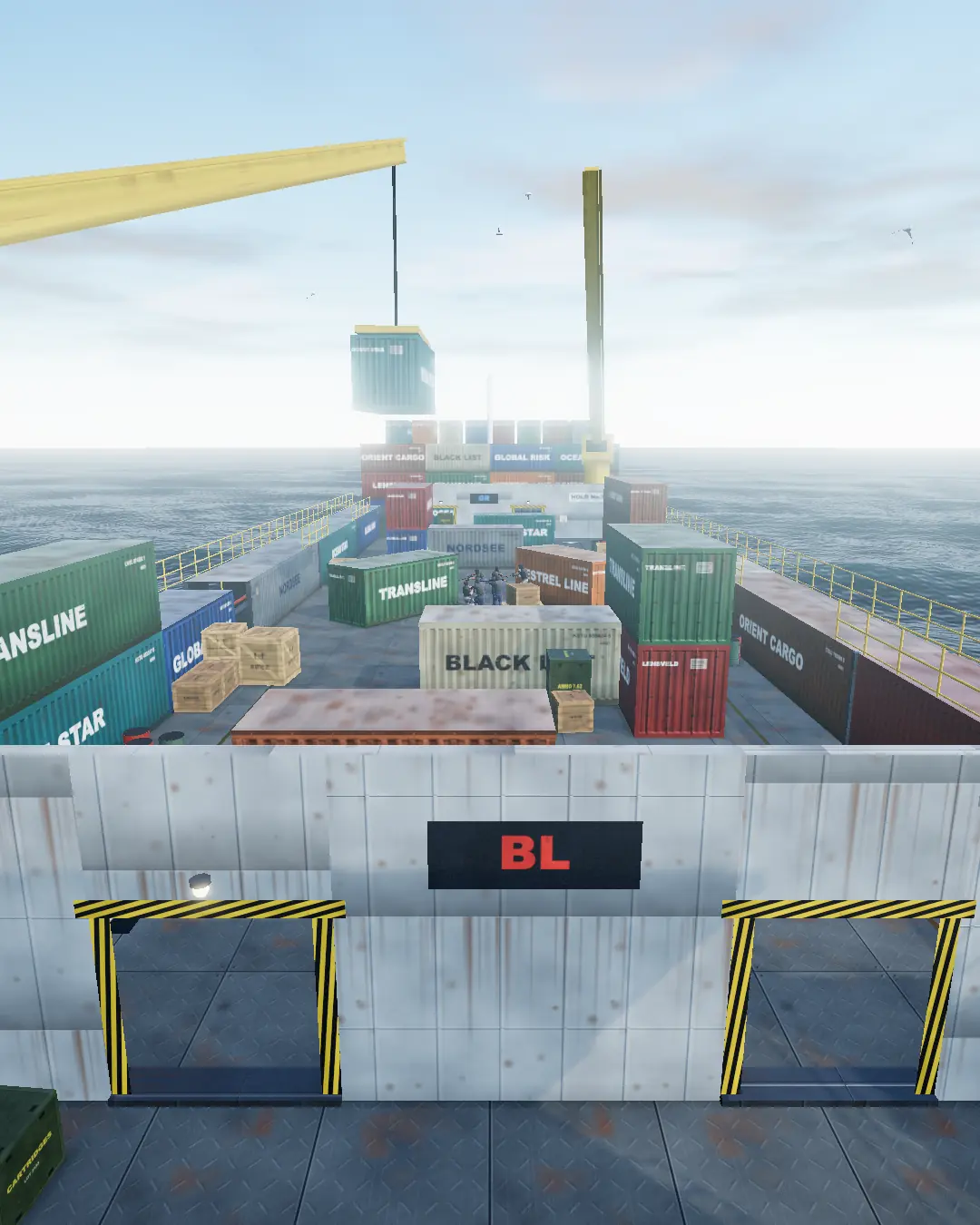
In the annals of competitive online shooters, CrossFire (CF) stands as a monumental giant, with hundreds of millions of registered players across Asia and beyond. Famous for iconic maps like Transport Ship and intense arcade modes, CrossFire defined internet-cafe gaming culture for over a decade.
On the other side of the spectrum, CS Browser represents a modern evolutionary leap in tactical shooters: a zero-install, browser-native tactical FPS engineered for instant access, authentic recoil mechanics, and zero-compromise fairness.
How do these two shooters compare in gunplay philosophy, gear progression, installation friction, and multiplayer convenience? If you are looking for an action-packed shooter you can play anywhere, here is an objective breakdown.
1. Gunplay Mechanics: Arcade Rush vs Tactical Discipline
| Comparison Area | CrossFire | CS Browser | | :----------------------- | :---------------------------------------------------- | :---------------------------------------------------------------------------- | | Movement & Shooting | Arcade style with high run-and-gun tolerance | Tactical discipline demanding strict counter-strafing to stop before shooting | | Recoil & Spread | Linear kickback with generous spray forgiveness | Distinct spray patterns requiring calculated mouse pull-down compensation | | Headshot Hitboxes | Generous headshot boxes paired with punchy audio cues | Pixel-precise hitboxes with penetrable wall bang multipliers | | Core Round Structure | Fast respawn Team Deathmatch & Mutant modes | Team deathmatch & positional map control with crossfire angles |
The CrossFire Approach: Pure Adrenaline
CrossFire is built for snappy, dopamine-inducing firefights. Movement speeds are brisk, jumping snipe shots are accessible, and the sensory satisfaction of stringing together consecutive golden headshots across the Transport Ship deck provides unmatched arcade excitement.
The CS Browser Approach: Tactical Precision
CS Browser stays loyal to the heritage of competitive tactical shooters. Spraying while sprinting sends your bullets flying into the sky. You must master the art of the counter-strafe, holding angles, listening for footstep audio, and timing bursts. Every engagement is a test of crosshair placement, holding angles, and synchronized team pushes.
2. Competitive Integrity: Hero Weapons vs 100% Even Ground
A fundamental question for any FPS is whether real-world money impacts combat effectiveness.
CrossFire's Premium Gear Progression
While early CrossFire relied strictly on GP (game points), the game later introduced VIP / "Noble" weapons (such as the Beast / Transformer series):
- Faster reload and weapon draw speeds;
- Expanded magazine capacity with bonus ammo across loadouts;
- Experience and point multipliers.
While these weapons deliver flashy visual effects and immense satisfaction in casual public matches, they inevitably alter the playing field in competitive duels.
CS Browser's Pure Competitive Baseline
CS Browser rejects pay-to-win mechanics completely:
- Zero Stat Manipulation: Every player enters the round with identical baseline health, movement velocity, and weapon attributes.
- Victory by Skill Alone: An AK-47 delivers a lethal single-bullet headshot; an AWM holds mid doors with one-shot stopping power. Your ranking reflects your aim, reflexes, and tactical IQ—never the depth of your wallet.
- No Intrusive Grinding: No daily battle pass logins or weapon upgrade tiers clutter your screen.
3. Storage Footprint & System Demands: 20GB+ vs Zero-Install
In modern work and study environments, the friction required to launch a game often determines whether you can play at all.
[CrossFire]
Download installer -> Download 20GB+ client -> Extraction -> Anti-cheat kernel driver -> Launch client (30+ minutes)

[CS Browser]
Navigate to playcsbrowser.com -> Stream lightweight assets with visible progress -> In match
- Storage Consumption:
- Modern CrossFire requires over 20GB of disk storage, which quickly eats into compact SSDs on ultrabooks.
- CS Browser operates with 0 MB permanent disk install. Resources are streamed in real-time and cached safely by your browser.
- System Safety & Permissions:
- Traditional PC clients install kernel-level anti-cheat drivers that remain resident in Windows.
- CS Browser runs entirely inside modern web sandbox environments (Chrome, Safari, Edge, Firefox), requiring no administrator privileges or system modifications.
4. Multiplayer Lobbies: Coordinating with Friends
Gathering friends for an evening of gaming is notoriously difficult when client barriers get in the way.
With CrossFire, asking friends to play often turns into: "I switched laptops and don't have it installed right now."
CS Browser makes team play instantaneous:
- One URL Lobby Joining: Create a custom lobby, copy the web address, and paste it into Discord, Slack, or chat. Friends click the link and join your exact room in their existing browser tab.
- Dynamic Bot Backfill: If only two or three friends are available, CS Browser automatically populates empty player slots with intelligent computer bots, ensuring both sides stay balanced without waiting for random internet lobbies.
5. Comprehensive Comparison Table
| Feature | CrossFire | CS Browser | | :--------------------- | :--------------------------------------------- | :-------------------------------------------------------------- | | Download Size | 20 GB+ | 0 MB (Zero local installation) | | OS Compatibility | Windows only | Universal (Windows, macOS, Linux, ChromeOS) | | Weapon Stat Boosts | VIP weapon bonuses present | Strictly none (100% cosmetic or pure baseline) | | Pacing | Fast arcade fragging & special modes | Deliberate tactical maneuvering & team positioning | | Hardware Barrier | Requires dedicated graphics & Windows DirectX | Runs effortlessly on integrated graphics & MacBooks | | Best Scenario | Dedicated gaming sessions on PC battlestations | Lunchtime frags, office breaks, Mac gaming, instant squad games |
Which One Should You Play Today?
- Jump into CrossFire if: You want over-the-top arcade action, mutant survival modes, flashy skin collections, and have a dedicated Windows gaming rig ready to go.
- Launch CS Browser if: You are using a MacBook, Chromebook, or work laptop, have 15 minutes between tasks, and want an authentic, clean tactical shooter where pure aim and team positioning determine the outcome.
No launchers, no updates, no waiting—just open a tab and fire away.